
Digital signage has rapidly evolved in recent years as the primary method of customer communication at the point of sale. Through the use of screens, kiosks, tablets, LED displays, and walls, static printed advertising or informational posters are increasingly being replaced by dynamic content. Where we previously used printers and poster frames, shelf talkers, or handheld displays, today we use displays and players.
New Technological Challenges
Unlike printing, digital signage installations create different technical and economic challenges, such as
Reliability, Operating costs, and most importantly – the cost-benefit ratio
Based on decades of experience, WPITCOM has developed the WPITCOM Signage Manager 3 full stack cloud (OnPremise / OnDemand) solution – a plug-and-play solution that significantly simplifies the entire process chain, including
Our FAQ catalog provides essential information to identify challenges from the outset and to plan or migrate installations cost-effectively and successfully.
We look forward to your feedback.
Digital Signage is the general description for the use of
used to display different product or service related content such as
In retail and hospitality, it replaces static posters with dynamic, centrally managed content that can be updated instantly across one or many locations.
Powerful Digital Signage is ideal for:
It scales from a single screen to hundreds / thousands of locations without changing the system.
No. While advertising is a major use case, digital signage is also used for:
Not really. WPITCOM Signage Manager 3 works out of the box with:
So, even existing screens / display hardware can be easily reused or choose cost-efficient devices.
Of course the devices to be used should not be too old and have HDMI input connection to attach a compatible player.
Full HD resolution is recommended up to 55″ of screen size for best cost-efficiency, but as well 4K is supported with different hardware players.
Well – the main typical challenges are normally
Solved: WPITCOM Signage Manager 3 can use a variety of professional or customer electronic (CE) screens or TV systems, that’s makes it even possible to start small and get to the next level step by step.
Tutorial: Correct and secure positioning is crucial of operation success, based on experience and neuro marketing, please feel free to contact us for recommendations.
Solved: WPITCOM Signage Manager 3 is a user-centric ease to manage and operate cloud solution focussing to provide powerful functions with ease of use
Solved: WPITCOM hardware player are designed for durability – as mainly read-only & self cleaning systems, we focus on maintenace reduction and reduction in cost of oiperations – based on lot of years of field experience – in retail.
Solved: WPITCOM Signage Manager 3 has an optional built-in proactive health monitoring of the local players – you get informed if necessary to check the local device – probably before someone calls in.
Hint: WPITCOM Signage Manager 3 supports various video & image formats, and even HTML5 contents – unlimited creativity – in the AI age. By using our WPITMEDIACLOUD Platform a variety of conent like original brand images, backgrounds, stoppers and so on can be integrated on the fly.
Solved: If players or screens are not switched of during off-duty times, energy cost often adds up, that might not be a big issue for only one installation, but talking about 100’s or even 1.000’s of players & screens, that not rarely is a major topic in the budget – so, energy efficency is an important decision factor as well, besides maintenance frequency, in digital signage installations – nearly always.
And … Efficiency is the name of game – this often makes the real difference:
WPITCOM Signage Manager 3 and WPITCOM Signage Suite 3 include out of the box function to set operation times centrally and then automatically to turn off supported hardware players during off-duty time (S5 level), turn the screens to standby and turn everything on just in time – so that energy consumption is kept at the necessary level only – avoid wasting budget and profit.
Some people still use USB sticks to promote content on their local screens.
That’s might work for very small installations – but as a matter of facts is not cost-efficient because:
All these tasks involve cost of hardware, production, logistics and control – to ensure the content is really displayed. If added up, the disadvantages are quite obvios right away.
The way to indepence
Flexibility & speed & reliability – right away – that’s WPITCOM Signage Manager 3
With WPITCOM Signage Solutions, Yes, the local devices continue playing content offline.
This is critical for stores and restaurants – and completely solved.
*)If using website, streaming content, the internet connection is essential and must be available – of course.
No. The WPITCOM Signage solution is really absolutly plug-and-play:
This significantly reduces operational effort.
*)For supported display types, with correct configuration (Linux: Different options depending on player type and connected display type: HDMI-CEC, RS232, DPMS, IP) | Android: (with supported players) HDMI-CEC and DPMS
Yes. Content, interfaces, and campaigns can be managed in:
Perfect for international operations.
Customers typically gain:
To simply start with WPITCOM Signage Manager 3 – you typically need:
WPITCOM Signage Suite 3 is the local software player, controlling the entire device and the screen(s), standard Linux or Android devices become professional signage players.
*) Due to the enormous amount of diffferent devices and implementations compatibility should be tested when using internal players (mainly Android™ systems – some integrated devices may not allow certain device control functions or screen rotation, especially when using Smart-TV systems from different manufacturers.
Please do not hesitate to let us know, if we can be helpful with device details – prior of purchasing a specific device.
Yes. The local software player WPITCOM Signage Suite 3 is designed for Linux and Android, giving you:
Sometimes it’s useful to compare the hardware players before deciding, as some Android™-Operating system driven devices support more functionality, like turning of the device or setting an attached screen into standby mode, which is often a very appreciated feature. If in doubt, feel free to contact us for our recommendation for your specific needs – happy to help with best information available.
By the way – WPITCOM Signage Suite 3 is a native Android™ Application and can be installed in less than 5 min, easily, quickly and safely.
WPITCOM Signage Manager 3 is a powerful cloud-based CMS, that can be learned pretty quick.
It allows to you to easily – just log into the platform and:
All changes are distributed automatically to connected devices.
WPITCOM Signage Manager 3 can be operated in two different ways:
For SMB: WPITCOM Signage Manager 3 SaaS / OnDemand on VPS Shared
Own Server: WPITCOM Signage Manager 3 is installed at customer site. Just contact us for details and requirements
Generally, Yes, the local media player software WPITCOM Signage Suite 3 can support up to 4 displays current*), but depends on
Sometimes the question is asked in relation with video walls – but that is different, as the majority of “normal” video walls are driven over 1 display connector and the professional screens are splitting the signal accross the video wall matrix – there are of course exceptions, but these are rather special.
The question often arise when talking about menu boards, sandwich installation (front- and back side), window displays and some other advertising visions.
Basically it also despends on the operating system of the device, whether it is Linux® or Android™. In contrast to Linux, Android is based on a one-screen-concept, mainly, even if the Android device has multiple HDMI interfaces, internally it is handled as one big screen only. Linux in contrast to that supports also the all-screens-separate as well as the one-screen-concept with certain settings, which can be set in WPITCOM Signage Suite 3.
Up to four separately driven screens with one hardware player
With the correct compatible hardware player, you can operate currently up to 4 screens on a single hardware player simultaneously, noticing that split screens in WPITCOM Signage Suite 3 for Android is also possible but needs to use the included “Split Screen App”.
Please ask for details.
WPITCOM Signage Manager 3 supports:
You manage your campaign – we present it.
*) Supported formats sometime depend on the GPU capabilities of the local hardware player. Please check before purchasing.
Yes. WPITCOM is designed with:
Yes, absolutely. Our retail media option provides:
Automatic playout tracking
Proof-of-play reports (also as Adobe PDF)
Campaign performance dashboards
Revenue overviews
This builds trust with advertising customers.
Yes, WPITCOM Signage Manager 3 offers an optional sophisticated plugin*) to
Please ask us for details at any time.
Good to know:
Even all SSP provided media content is also directly cached on the local device / network to avoid intensive network traffic.
*)
1. Available currently for Linux Devices only – Android in preparation
2. Please ask for supported SSP currently. Additional SSPs eventually on demand – on request.
Absolutely. Campaigns can be targeted by:
Location / Category
Screen type
Time of day
Date range
Group of screens
Yes. WPITCOM is designed to grow with you and your demands:
*) Please ask for details – some restrictions may apply for customer size and its territorial location.
Absolutely. The WPITCOM Signage Manager 3 platform is built for:
Well, that depends largely on the chosen software and hardware solution.
But not with WPITCOM Signage Manager 3 – we constantly focus on:
We are happy to assist you at any time with additional information, proof-of-concept installations and presentations.
That’s really easy and risk-free
It only depends where you are located, in which country …
For Europe
Contect us by the contact form, call us on our US phone number, or just write us an email to sales@wpitcom.com and we will coordinate the direct communication with one of our European partners for hardware and integration.
For USA & Latin America
Our US office in Austin Texas is available weekdays from 8am – 6pm for calls for you.
Just give us a call, an email or use our contact form and we call you back.
We are multi-lingual
As we are orginated from Europe 10 years ago – we perfectly speak

The cloud-based digital signage marketing complete solution for the central management of content, devices and playlists – either as a SaaS solution or on-premise installation.
WPITCOM Signage Suite 3 – the powerful, locally installed media player software for Android™ and Linux®, optimized for maximum stability and ease of installation on-site.
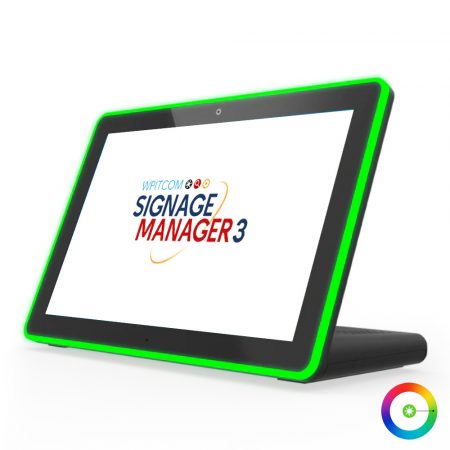
The variety of screens, touch tablets and players for easily successful digital signage with WPITCOM Signage Manager 3

WPITCOM MediaCloud – the central media cloud library with professional brand images, videos, animations and recipes, perfectly tailored to POS use to design powerful campaigns.


